SSH Into Azure VMs
Requirements
- gcloud CLI must be installed and configured
Optional
- Azure CLI - simplifies certain operations
Windows Users
Run all commands in a WSL terminal.
Finding the Target VM
If you need to SSH into a VM for a specific application, you can identify the target VM from the app’s Azure DevOps release pipeline:
- Navigate to Pipelines > Releases in Azure DevOps
- Open the release pipeline for your application
- Go to the Tasks tab and select the appropriate stage (e.g., “Docker-Prod”)
- Click on any task that copies files to the VM (e.g., “Copy .env variables to Linux VM”)
- Look at the SSH service connection field - this indicates the target VM
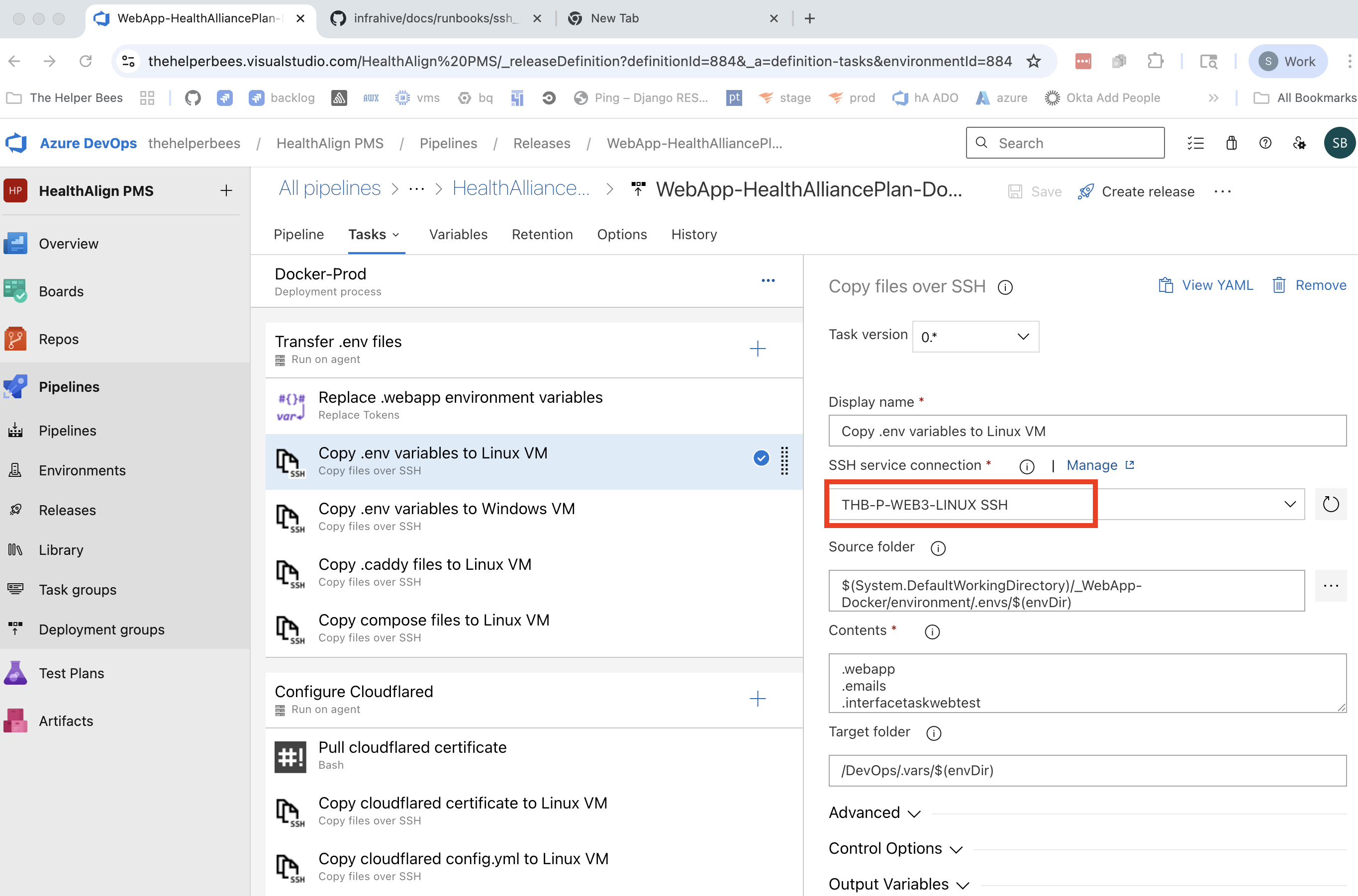
The SSH service connection name follows the pattern:
THB-{ENV}-{VM_NAME}-{OS} SSH
THB- The Helper BeesENV- Environment (Pfor Production,Nfor Non-Production)VM_NAME- The VM identifier (e.g.,WEB3)OS- Operating system (LINUXorWIN)
Steps
Determine the IP address of the machine
az vm list-ip-addresses \
    --query "[].{Name:virtualMachine.name, PublicIP:virtualMachine.network.publicIpAddresses[0].ipAddress}" \
    --output table
Alternatively, you can simply find the right IP through the Azure Portal UI
Retrieve the SSH access private key
- For Staging or UAT (VMs with
-N-in the name)gcloud secrets versions access latest --secret="ado_agent_ssh_key" --project="prj-n-secrets-817e" > azure_staging_ssh chmod 600 azure_staging_ssh - For Production (VMs with
-P-in the name)gcloud secrets versions access latest --secret="ado_agent_ssh_key" --project="prj-p-secrets-3c7d" > azure_prod_ssh chmod 600 azure_prod_ssh
- For Staging or UAT (VMs with
SSH into the VM
# Staging
ssh -i azure_staging_ssh -p 2290 HALocalAdmin@IP_GOES_HERE

# Production
ssh -i azure_prod_ssh -p 2290 HALocalAdmin@IP_GOES_HERE
Troubleshooting
gcloud secrets permission denied
Devs should automatically have access through the
dev@thehelperbees.com Google Group. If individual
permissions are needed, add
roles/secretmanager.secretAccessor on the appropriate
secret in GCP Secret Manager.